 Murmura
Turn any PDF into an audiobook.
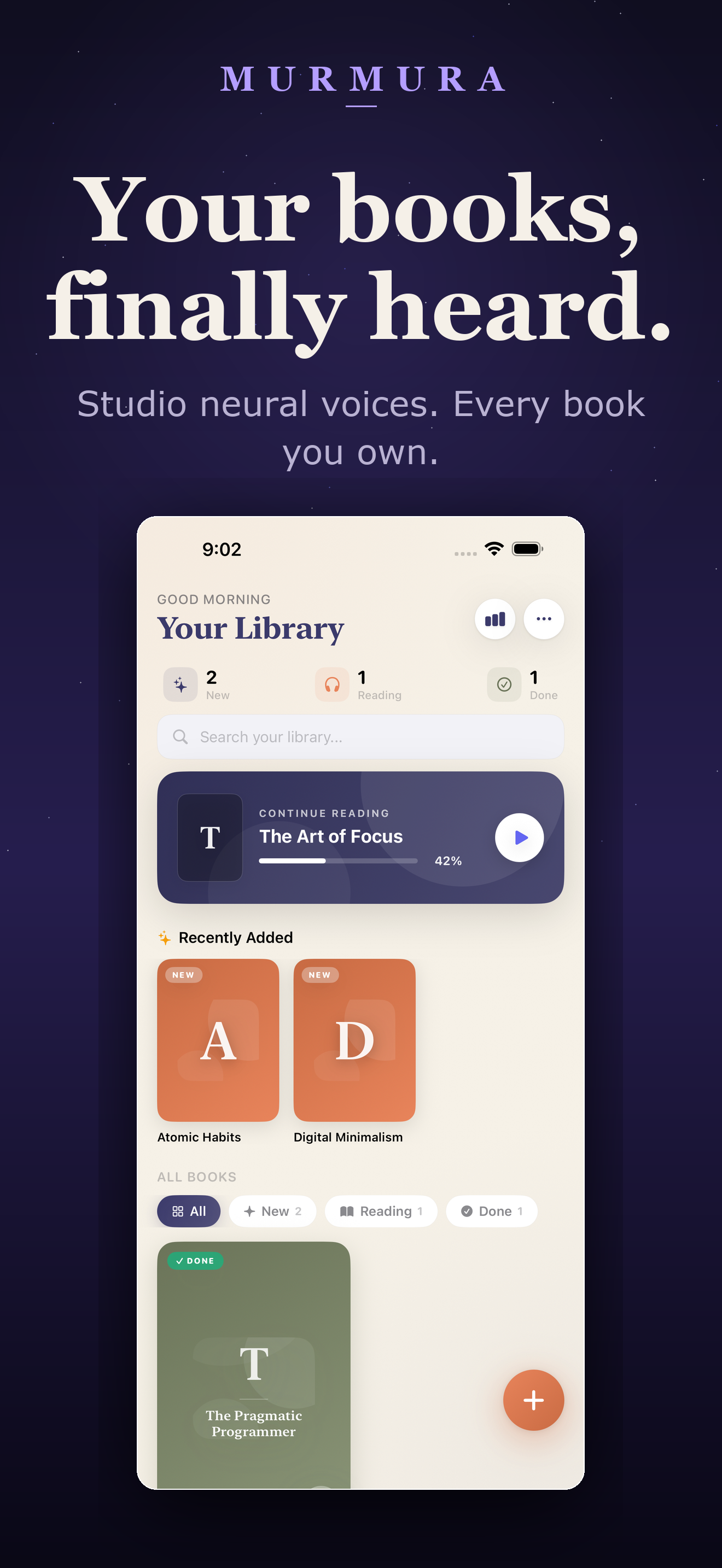
Import a PDF, EPUB or research paper. Pick a neural voice. Press play — every word lights up as it's spoken with karaoke-style tracking at 60fps. Offline, CarPlay, Siri, and iCloud sync included. No account required.
Free forever · Pro from $4.99/mo · one-time lifetime available
What is Murmura?
- What it does
- Converts any PDF, EPUB, or text file into a narrated audiobook with karaoke-style word-by-word synchronized highlighting at 60fps on iPhone, iPad, and Mac.
- Best for
- Students listening to research papers, commuters turning PDFs into podcasts, dyslexic readers, professionals reviewing drafts, and anyone who wants their own documents read aloud with natural AI voices.
- Price
- Free forever (2 books, all features). Pro: $4.99/mo or $39.99/yr (20 books). Max: $9.99/mo, $79.99/yr, or $129.99 one-time lifetime (unlimited). No account required.
- Key difference
- Privacy-first (documents stay on-device), one-time lifetime purchase, native Apple experience with CarPlay, Siri, and iCloud sync. Zero-allocation 60fps rendering engine that handles 500+ page documents without lag.
The reader Apple should have shipped.
Audible-class narration, Kindle-class rendering performance, and a privacy posture that respects you. Designed for people who actually read — at 60fps with zero compromises.
Bring your own books
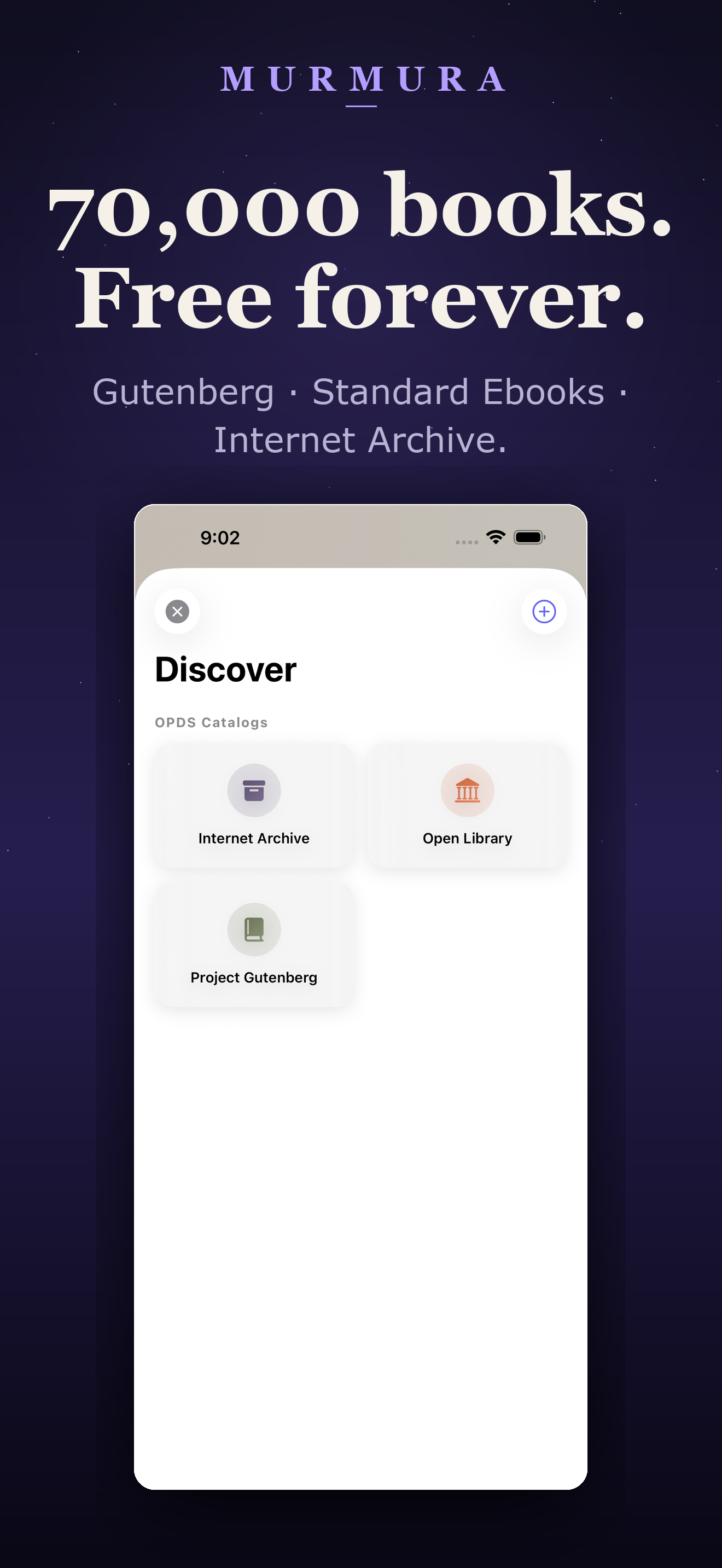
Drop in any PDF, EPUB, or plain text — research papers, lecture notes, novels, your own manuscript. No DRM, no library lock-in. Plus free access to 70,000+ Project Gutenberg and Internet Archive titles.
47 neural voices
Studio-quality voices across English, Spanish, French, German, Japanese, Mandarin and 20+ more languages. Switch voice mid-book; cached audio re-uses without re-billing.
Karaoke-style word tracking
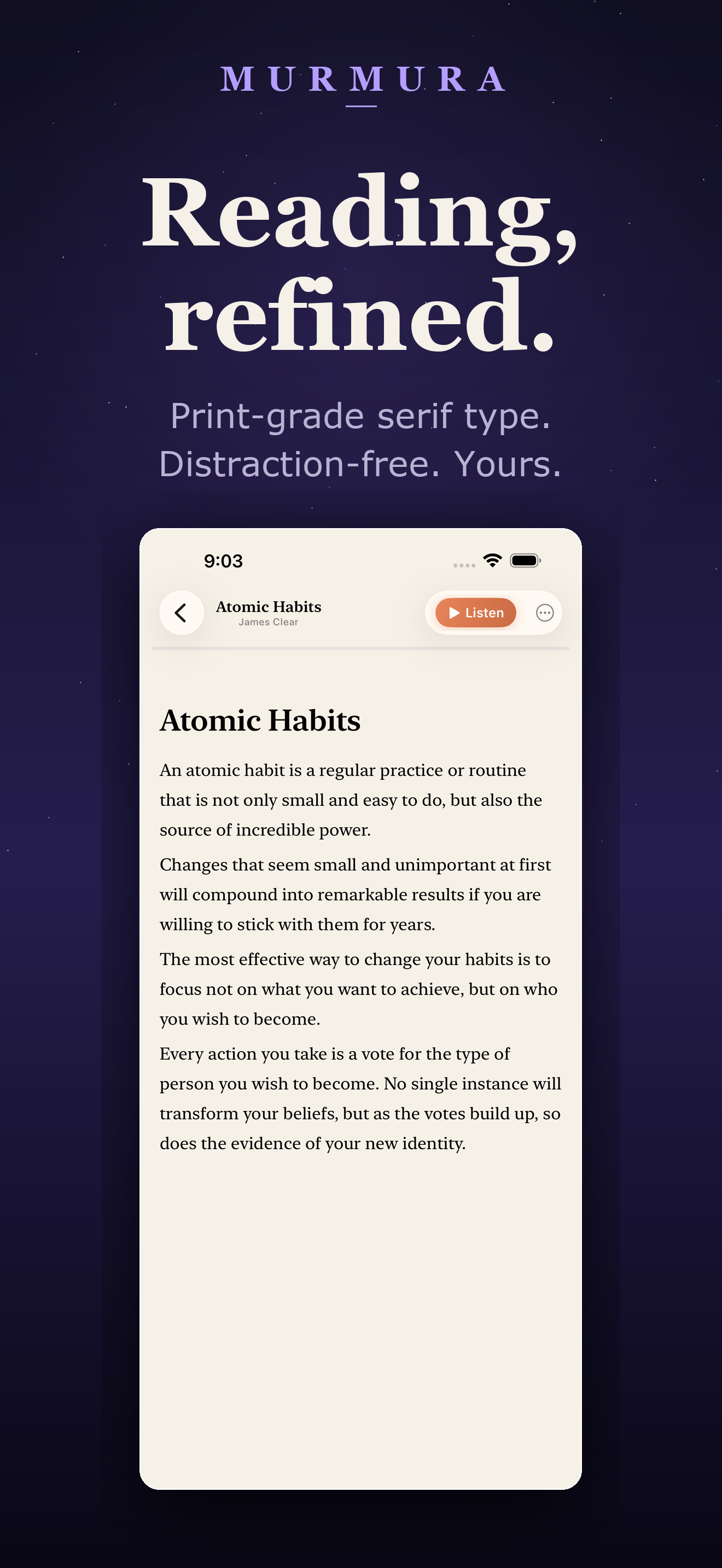
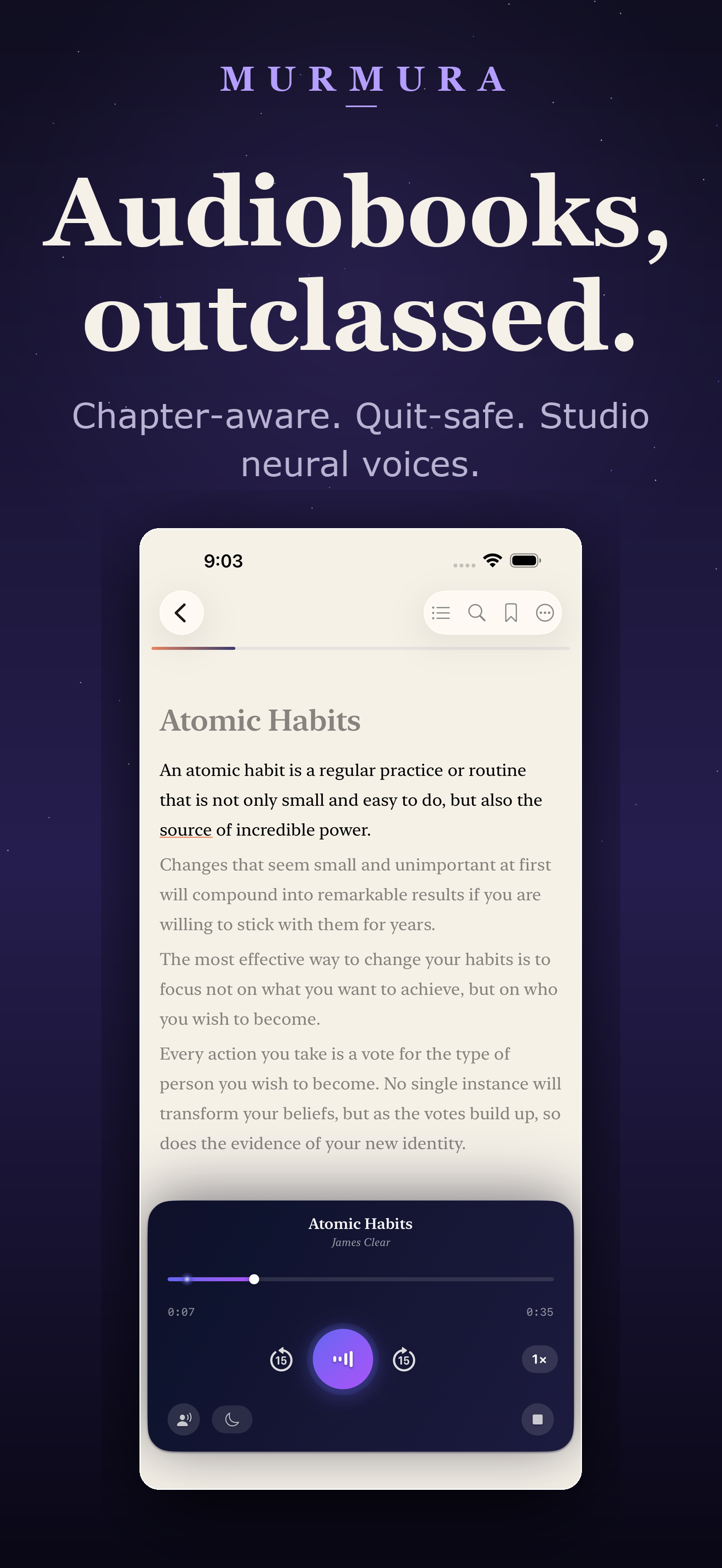
Every word glows amber the instant it's spoken — zero-allocation rendering at 60fps. Tap any word to seek. Smooth auto-scroll follows your reading like Kindle Whispersync.
Unparalleled performance
Kindle-class single-view-per-chapter rendering. Zero memory allocation during narration. O(1) word lookups. Even 500-page PDFs scroll like butter with zero frame drops.
Privacy by design
Documents stay on your device and your private iCloud. Narration text is processed and immediately discarded — only an irreversible hash is kept for caching. Zero telemetry on your reading content.
Background, CarPlay & Siri
Lock the phone, switch apps, take a call — narration keeps going seamlessly across chapters. Lock-screen controls, CarPlay, and Siri give you a true audiobook commute experience.
iCloud sync, all devices
Library, bookmarks, and reading progress ride iCloud across iPhone, iPad, and Mac. Start on Mac, finish on iPhone, never lose your place.
Smart chapter navigation
Table of contents, bookmarks, highlights, and search — all synced with the audio timeline. Jump to any chapter and narration follows instantly. Sleep timer fades you out at the end of a chapter.
What's new in v1.9.17
The most performant text-to-speech reader on any platform. Period.
Active word highlighting uses in-place text storage mutations — zero memory allocation per word change. Runs at a locked 60fps even on older devices.
The active word now glows with a subtle amber background + thick underline, making it dramatically easier to follow during narration.
Text now smoothly pans to follow each spoken word — not just each paragraph. Feels like Kindle Whispersync.
Indexed dictionary-based word position lookups replace linear scans. Chapters with 5,000+ words respond instantly.
Audio now seamlessly continues between chapters during background playback — no more stopping at chapter boundaries.
Table of contents navigation now perfectly syncs audio to whatever chapter you jump to, even during rapid chapter switching.
From file to narration in three taps.
No account to create, no upload queue, no processing wait. Murmura streams the first words within a second of tapping play.
Drop in a document
Pick a PDF, EPUB, or plain text from Files, Mail, or iCloud — or grab a classic from Project Gutenberg and Internet Archive inside the app.
Pick a voice
Choose from 47 neural voices across English, Spanish, French, German, Japanese, Mandarin and more. Preview before you commit.
Listen and follow
Tap play. Words light up in sync. Adjust speed, scrub the timeline, or tap any word to seek. Audio is cached for instant offline replay.
Whatever you bring, Murmura reads it back.
Research papers
Drop in a dense arXiv PDF and listen on your commute. Equations and figures are skipped intelligently.
Course material
Upload lecture notes and textbook chapters. Sync progress across your Mac and iPhone for study breaks.
Public-domain classics
One-tap downloads from Project Gutenberg and Internet Archive — Dostoyevsky, Austen, Twain, Plato.
Accessibility-first reading
For dyslexic and low-vision readers: word-by-word follow-along with adjustable speed and font.
Long-form articles
Save Substacks and longreads as PDFs, listen later in the car, in the gym, on a walk.
Manuscripts & drafts
Listen to your own writing — the fastest typo-and-rhythm check that exists.
Language practice
Read a Spanish PDF with a native voice. Switch between English and Spanish narrators mid-document.
Bedtime listening
Sleep timer, dimmable interface, and a player that just keeps going on the lock screen.
Murmura vs. Speechify, ElevenReader, Voice Dream & Audible.
The honest, line-by-line breakdown for 2026. Murmura is the only one that lets you bring your own PDFs and offers a one-time lifetime purchase.
| Murmura | Speechify | ElevenReader | Voice Dream | NaturalReader | Audible | |
|---|---|---|---|---|---|---|
| Bring your own PDF / EPUB | Yes | Yes | Yes | Yes | Yes | No |
| Neural / studio-quality voices | 47 voices | 200+ | 1,000+ | Paid add-on | Yes | Human narration |
| Word-by-word highlighting | Yes — every word | Yes | Sentence-level | Sentence-level | Sentence-level | N/A |
| Free tier (all features) | Yes (2-book cap) | ~10 std voices | 10 hrs/mo | 7-day trial | Limited voices | No |
| One-time / lifetime purchase | $129.99 lifetime | No | No | Subscription only | No | No |
| Entry annual price | $39.99 / yr | $139 / yr | $99 / yr | ~$30+ / yr | $119 / yr | $179 / yr |
| Native iPhone / iPad / Mac app | Universal | Web-first | iOS & Android | iOS & Mac | Web + mobile | Yes |
| Offline after first play | Yes | Premium only | Premium only | Yes | Limited | Yes |
| CarPlay support | Yes | Yes | Limited | No | No | Yes |
| iCloud sync across Apple devices | Yes | Account-based | Account-based | Device-only | Account-based | Yes |
| Privacy: docs stay on device | Yes | Cloud-first | Cloud-first | Yes | Cloud-first | N/A |
Competitor prices reflect publicly advertised entry-level personal plans as of May 2026 (Speechify Premium $139/yr, ElevenReader Ultra $99/yr, NaturalReader Plus $119/yr, Audible Plus $179/yr). Features and prices are subject to change by each provider.
Every feature, every tier. Pick the library size.
Free is free forever — with every feature unlocked. Upgrade only when your library outgrows it.
Free
Forever · no card required
The full Murmura experience for occasional readers.
- 2 books in your library
- All 47 neural voices
- Word-by-word highlighting
- Background & lock-screen playback
- Project Gutenberg & Internet Archive
- CarPlay & iCloud sync
Max
$79.99/yr · or $129.99 lifetime
Unlimited library. Lifetime is yours forever, with Family Sharing.
- Unlimited books
- Everything in Pro
- Family Sharing on lifetime
- Every future feature included
- Priority support
Pro
or $39.99/yr save 33%
For regular readers — about a book every couple of weeks.
- 20 books in your library
- Everything in Free
- Priority new voices & languages
- Cancel anytime in Settings
Questions, answered.
Does Murmura upload my documents?
No. Your documents stay on your device and (optionally) your private iCloud. When you press play, only the text needed for that exact playback is sent to the narration service, and it is immediately discarded once the audio is generated. We keep an irreversible hash so we can re-serve the same audio without re-billing — never the text itself. Read the full privacy policy.
What file formats are supported?
PDF, EPUB, and plain text (UTF-8). Murmura parses chapters, headings, paragraphs, lists, and quotes automatically so the narration matches the document's structure. You can also import public-domain books directly from Project Gutenberg and the Internet Archive without leaving the app.
Can I listen offline?
Yes. The first time a passage is played, the audio is cached locally. Every subsequent listen — including in airplane mode — plays instantly from your device.
Will it work on my Mac?
Yes. Murmura is a true universal app for iPhone, iPad, and Mac. Your library, bookmarks, and reading progress sync via iCloud across all of them.
Is there a subscription?
Free is free forever with every feature unlocked, capped at 2 books. Pro adds room for 20 books at $4.99/mo or $39.99/yr. Max is unlimited at $9.99/mo, $79.99/yr, or a one-time $129.99 lifetime purchase with Family Sharing.
How is Murmura different from Speechify?
Speechify Premium costs about $29/mo or $139/yr. Murmura starts free, offers Pro at $4.99/mo for comparable neural voice quality, and has a $129.99 one-time lifetime option. Your documents also stay on-device by default. Full breakdown: Speechify alternative in 2026.
Is Murmura good for students and researchers?
Yes — Murmura is built around personal-corpus reading. Drop in arXiv PDFs, lecture notes, theses or textbooks and listen on your commute. Equations and figures are skipped intelligently, headings become chapter markers, and reading progress syncs across iPhone, iPad and Mac via iCloud.
Does Murmura support dyslexia-friendly reading?
Yes. Murmura was designed with accessibility in mind: word-by-word follow-along, adjustable speed (0.5×–3×), Dynamic Type, dyslexia-friendly serif typography, and full VoiceOver compatibility. Tap any word to jump to that exact point in the audio. See our accessibility comparison.
Can I use Murmura with CarPlay?
Yes. Murmura supports CarPlay with chapter-aware controls, lock-screen Now Playing artwork, and seamless handoff from iPhone to your car stereo. Pick up exactly where you left off when you start the engine.
How is this different from Apple's Speak Screen?
Apple's built-in voices are robotic and there's no real word-by-word highlighting, no chapter-aware navigation, and no library. Murmura uses studio-quality neural voices, structures the document like a real ebook reader, and gives you a player that feels like Audible on top of files you already own.
Can I cancel or get a refund?
Subscriptions cancel anytime in Settings → Apple ID → Subscriptions. Lifetime is a one-time purchase, so there is nothing to cancel. Refunds are handled by Apple at reportaproblem.apple.com. We never gate refunds — if Murmura isn't for you, ask Apple, no questions asked.
Is Murmura better than ElevenReader or Speechify for reading my own PDFs?
Murmura is purpose-built for personal-corpus reading (your own PDFs, EPUBs, research papers). Unlike Speechify ($139/yr) and ElevenReader ($99/yr), Murmura offers a one-time $129.99 lifetime purchase, keeps all documents on-device, and provides word-level highlighting (not just sentence-level). For bringing your own files at the lowest total cost of ownership, Murmura wins.
Does Murmura work with large documents (500+ pages)?
Yes — Murmura uses a Kindle-class rendering engine that displays one chapter at a time using a single optimized text view. Even 500-page PDFs scroll at a locked 60fps with zero frame drops. Audio is generated chapter-by-chapter in the background so you can start listening within seconds.
Can I use Murmura to listen to arXiv papers and academic research?
Absolutely. Murmura's PDF parser intelligently handles academic papers — skipping page numbers, headers/footers, and figure captions. Equations are identified and read contextually. Drop in any arXiv PDF and listen during your commute, at the gym, or while cooking.
Does Murmura support Siri and voice commands?
Yes. You can ask Siri to play, pause, skip forward, and control narration speed. Murmura integrates with iOS media controls so Siri, AirPods, CarPlay, and the lock screen all work seamlessly.
What makes Murmura's performance better than other TTS apps?
Murmura uses a zero-allocation rendering architecture — word highlights are applied via in-place text storage mutations, not by rebuilding the entire page. Combined with O(1) indexed word lookups, throttled scroll updates, and single-view-per-chapter rendering, it's the fastest text-to-speech reader on any mobile platform.
Guides, comparisons & deep dives.
Honest research on text-to-speech reading in 2026 — alternatives, accessibility, how-tos, and why neural voices have changed everything.
How to turn any PDF into an audiobook on iPhone (2026)
Step-by-step: convert research papers, EPUBs and your own manuscripts into narrated audiobooks with word-by-word highlighting and offline listening.
The best Speechify alternative in 2026
Line-by-line comparison of six Speechify alternatives — pricing, voice quality, file support, and which one to pick if you bring your own PDFs.
Best text-to-speech apps for iPhone in 2026
A definitive ranking covering free options, premium neural voices, accessibility features, CarPlay support and value.
Dyslexia-friendly reader apps on iOS, ranked
Font support, word-by-word follow-along, voice clarity and price — an honest assessment of the iOS accessibility-reader landscape.
Voice Dream Reader alternative in 2026
Voice Dream went subscription-only. Here's how the modern alternatives compare on accessibility, voices, sync, and price.
Audiobook from PDF: the complete 2026 guide
Convert any PDF to an audiobook — research papers, textbooks, magazines, manuscripts. Free and paid options compared.
Made by a real engineer who reads everything.
Murmura is built by Michael John Pena through Datachain Consulting Pty Ltd — an ABN-registered Australian company. The narration core was prototyped over two years and battle-tested on thousands of pages of personal research before it ever shipped. Every word of marketing on this page is written by a human, every neural voice is licensed, and your documents never leave your device.
Your library. Your voice. Your time.
Stop choosing between reading and listening. Get Murmura on every Apple device you own — free forever, with one-time lifetime upgrade available.
Download MurmuraReal reviews from the App Store.
★★★★★"Finally an app that lets me listen to my own research papers. The word highlighting is game-changing for following dense material."
— PhD Student, App Store Review
★★★★★"I switched from Speechify. The lifetime purchase alone sold me, but the voice quality is honestly just as good. Privacy bonus."
— Commuter, App Store Review
★★★★★"As someone with dyslexia, the word-by-word follow-along is exactly what I need. Finally I can get through my reading list."
— Accessibility User, App Store Review